One edit. A course, a podcast, a reel.
Guided workflows turn your finished sequence into every format your audience lives in — then a validated, restart-safe queue renders them all while you start the next lesson.
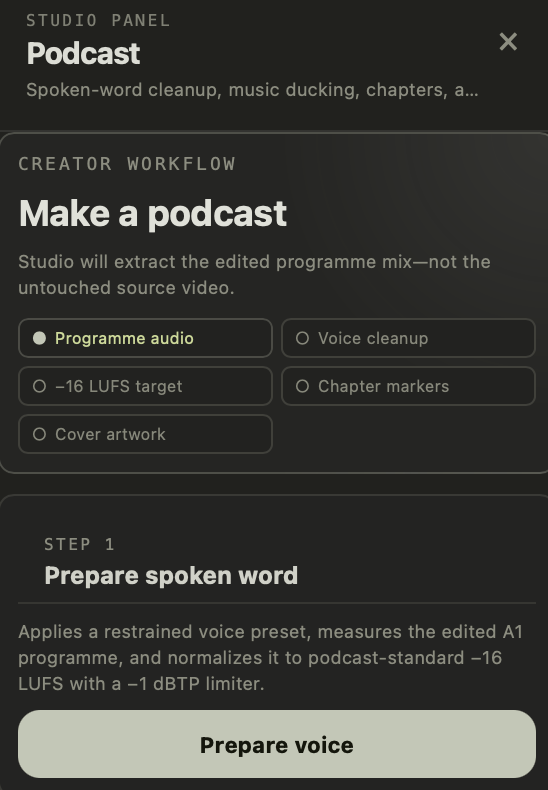
Studio extracts the edited programme mix — not the raw source — preps the voice, normalizes to −16 LUFS with a −1 dBTP limiter, lays a ducked music bed with fades, and adds chapters and cover art.
Pick the moment, and the 9:16 variant inherits your edit — reframed with safe-area guides, captions repositioned for thumb-stopping reads, ready for every short-form feed.
Pull still frames and gallery sets straight from the sequence — color-managed, correctly oriented, and sized for the platforms you post to.
Bounded presets for course masters, YouTube, and vertical social — plus custom profiles, in/out ranges, selected clips, audio-only, and still-frame outputs from the same sequence.
Queue a batch, keep editing, cancel or retry any job, get a desktop nudge when it's done. Quit mid-render and the history marks it interrupted — retry with one click.
Disk space and overwrite preflight before the render; codec, streams, dimensions, frame rate, and duration verified after. Every file ships with a provenance sidecar — hashes and tool versions, never your private paths.
The right cut, in the right lesson.
Open lesson media with its course, module, and learning-objective context attached; publish back with revision-fenced provenance. Your LMS always knows exactly which version its students are watching.
Sign-off before send-off.
Share a cut for review, gather timestamped feedback, and record approval before anything goes live — with durable cloud rendering available when a deadline outruns your laptop.
Ready to publish everywhere at once?
Tell us about your courses, your clinic, or your show — we'll set your team up with Studio Professional.
Talk to sales