Record it once.
Teach it everywhere.
The local-first video studio for course creators, wellness teachers, podcasters, and short-form storytellers. Capture, edit, caption, and publish beautiful lessons — without your footage ever leaving your desk.
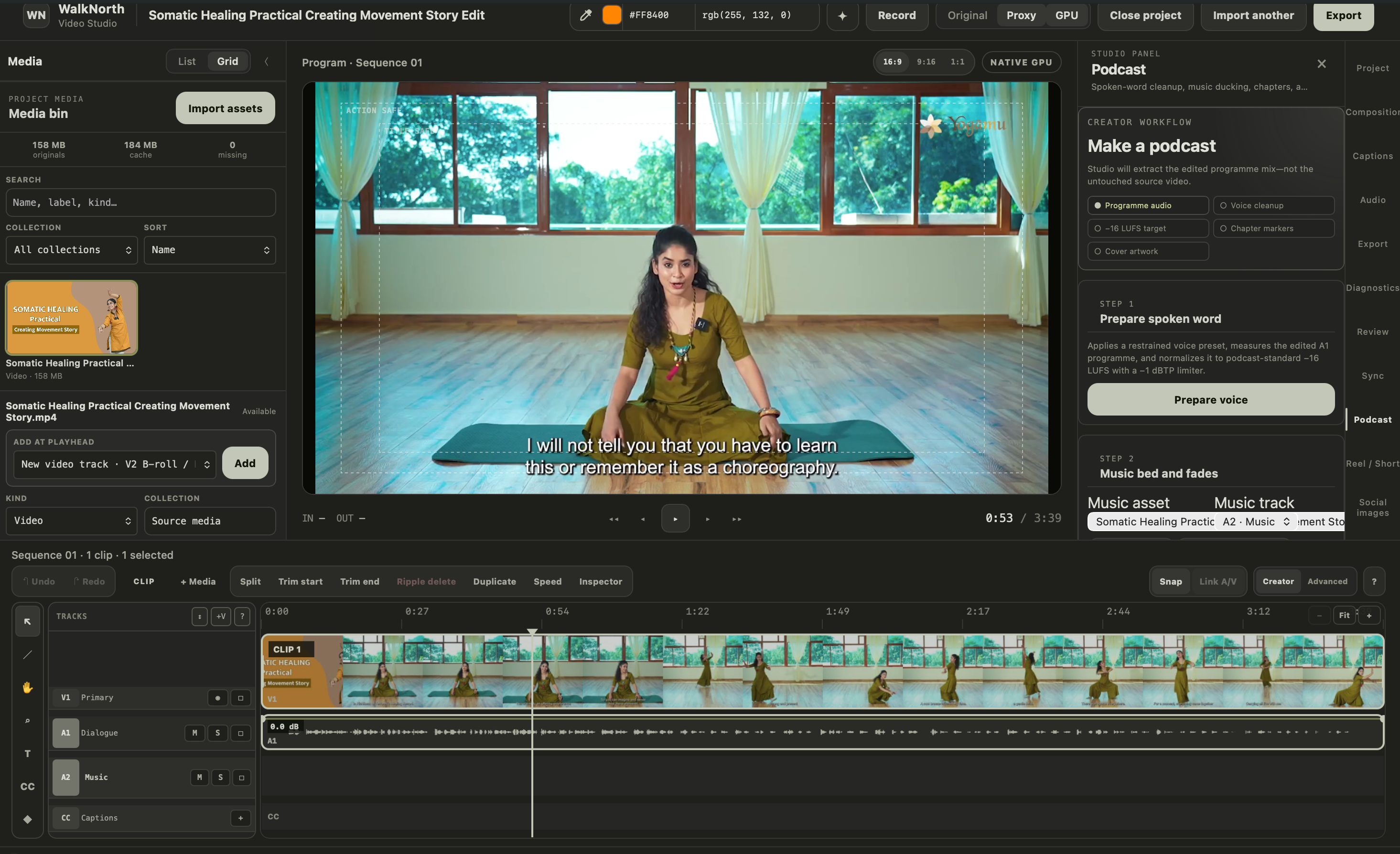
From first take to published lesson, one calm path.
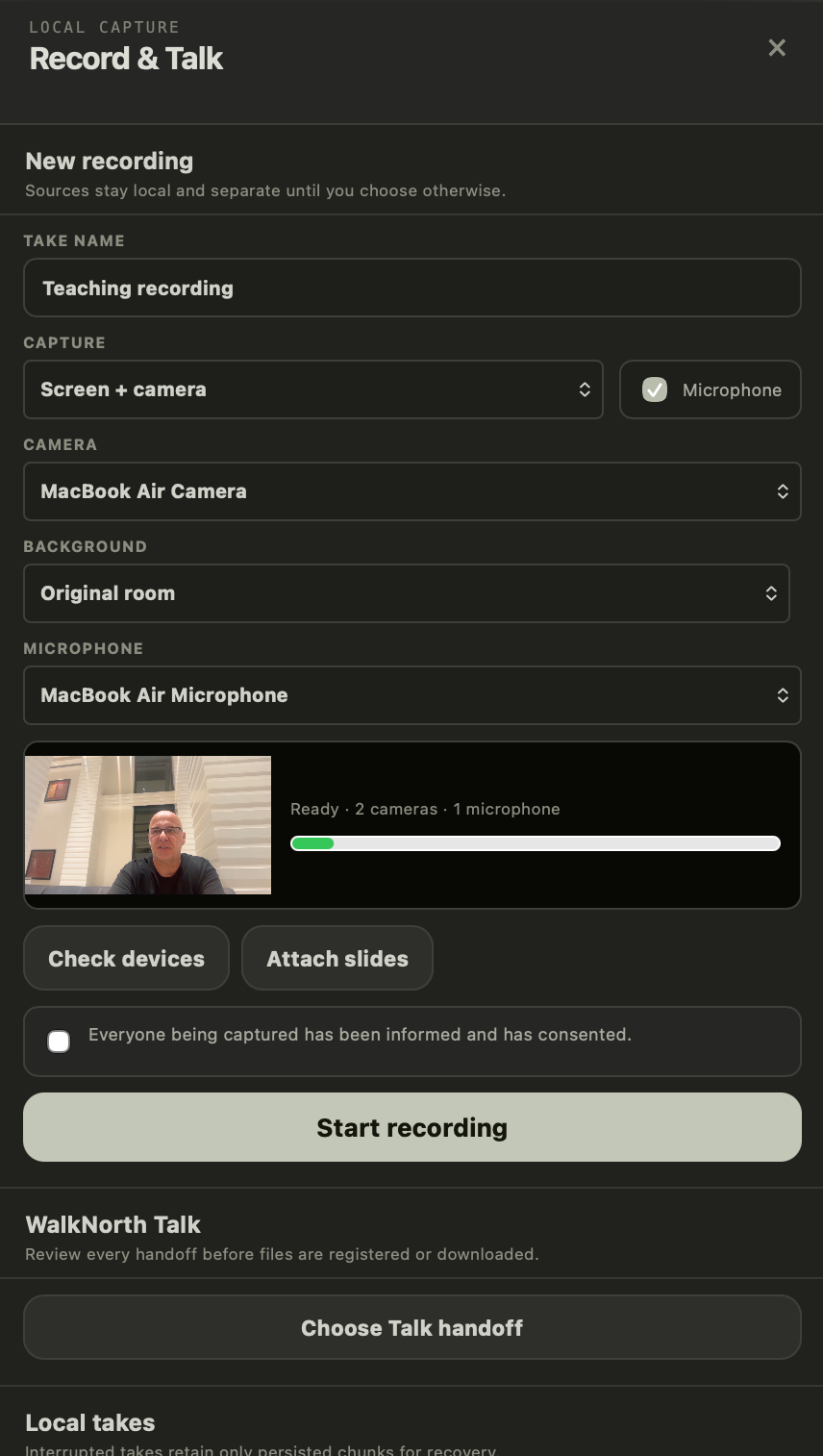
Press record, and just teach.
Capture screen, camera, and microphone as separate local tracks. Check your devices, swap your room for a clean background, attach your slides — and if a take gets interrupted, Studio recovers everything it already saved.
- →Screen + camera + mic, kept separate
- →On-device background replacement
- →Consent confirmed before every take
A timeline that speaks creator.
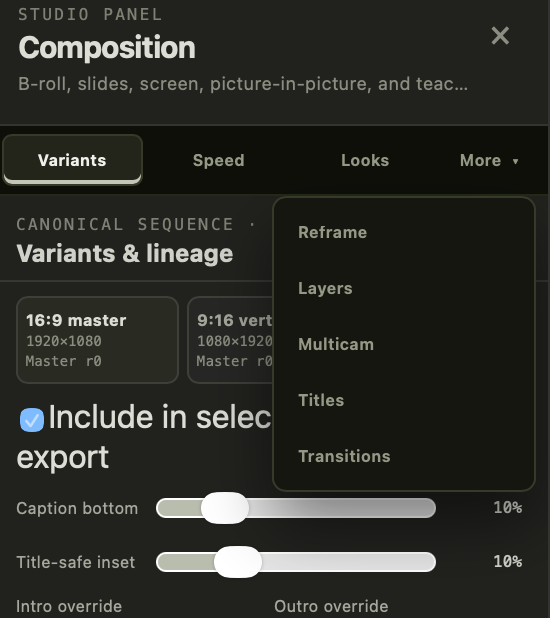
Split, trim, and ripple on a fast canvas timeline with a Creator toolset that hides the jargon — and an Advanced rail when you want it. Drop in B-roll, picture-in-picture, slides, and teaching overlays from ten ready presets. Undo survives even a restart.
- →Creator & Advanced tool rails
- →Ten composition presets for teaching
- →Undo & redo that survive restarts
One edit, every destination.
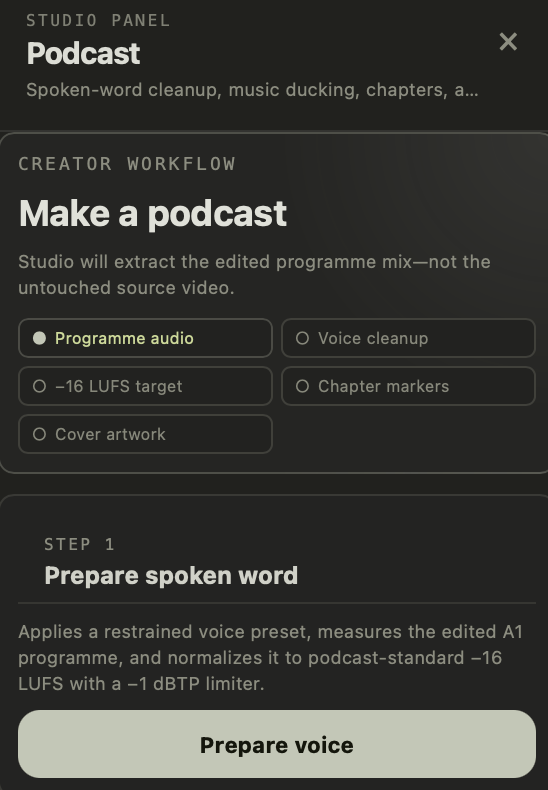
Queue a Course master, a YouTube upload, a vertical reel, a podcast episode, and social stills — all from the same sequence. Every export is validated, restart-safe, and shipped with a clean provenance record.
- →Course, YouTube, vertical & custom presets
- →Podcast episodes at −16 LUFS with chapters
- →Batch queue with retry & history
Every panel earns its place.
Screen, camera, and mic as separate recoverable tracks — plus a supervised handoff from WalkNorth Talk calls.
EXPLORE →A creator-first timeline, layered B-roll and PiP, multicam, titles from your brand kit, and linked 9:16 / 1:1 variants.
EXPLORE →Dialogue isolation, noise and wind reduction, a three-band EQ, music ducking, and honest A/B preview.
EXPLORE →On-device transcription, multilingual SRT / VTT / TTML tracks, and corrections that survive retranscription.
EXPLORE →Podcast, reel, and stills workflows on top of a validated, restart-safe export queue with provenance sidecars.
EXPLORE →Describe an edit in plain language, or let Sage propose speech cleanup — every suggestion lands in a review inbox as a proposal you approve, tweak, or decline. Nothing touches your timeline on its own.
Your footage stays yours.
Studio edits, transcribes, and renders on your machine. The cloud is a choice you make per action — never a default — which matters when your recordings hold students, patients, and private conversations.
Before you ask
What does WalkNorth Studio run on?+
It's a native desktop app for macOS and Windows, with a GPU-accelerated engine (Metal and DirectX 12) and a supervised FFmpeg pipeline under the hood. Your projects live in an embedded database on your machine.
Does my footage ever go to the cloud?+
Not unless you send it. Everything — editing, rendering, on-device transcription — runs locally. Cloud transcription and cloud rendering exist as options, and each one asks for explicit confirmation before anything is uploaded.
What can I bring into a project?+
MP4, MOV, M4V, and WebM video; audio; images with ICC color preserved; screen recordings; and PDF or PowerPoint decks rendered page-by-page into clean slides. Duplicates are detected by content hash, so the same file never clutters your bin twice.
Can I caption in more than one language?+
Yes — projects carry multiple language tracks side by side. Import or export SRT, WebVTT, and TTML sidecars, burn in the language you choose, and keep your hand corrections even when you retranscribe.
What happens if the app crashes mid-take?+
Recordings are written as durable chunks while you speak, so an interrupted take keeps everything already saved. Edits live in an append-only history — reopen the project and your exact sequence, undo stack included, comes back.
Does it fit into a course or LMS workflow?+
Yes. Studio can open lesson media with its course, module, and learning-objective context attached, keep your brand kit consistent across lessons, and publish back with revision-fenced provenance — so the right cut lands in the right lesson.
Let's get your next lesson out the door.
Tell us about your courses, your clinic, or your show — we'll walk you through Studio Professional and set your team up.
Talk to sales